AI Dubbing vs Subtitles vs Voiceover: Which Video Localization Workflow Should You Choose?
Short answer: use subtitles when you need fast, accessible, low-friction localization; use voiceover when narration matters more than speaker identity; use AI dubbing when comprehension, engagement, and native-language audio are important. Many serious localization workflows use all three.
Choosing the right video localization workflow is not a simple question of cost. The best option depends on the audience, content type, review requirements, distribution channel, and how much the original speaker experience matters.
This guide compares AI dubbing, subtitles, captions, and voiceover so teams can make a better decision before sending video content into production.
Quick comparison
| Workflow | Best for | Main advantage | Main limitation |
|---|---|---|---|
| Subtitles | Accessibility, fast localization, social clips | Fast and cost-efficient | Viewers must read while watching |
| Captions | Accessibility and compliance | Supports deaf and hard-of-hearing viewers | Usually not a full localization experience |
| Voiceover | Narration, explainer videos, documentaries | Clear spoken translation | Often loses original speaker identity |
| AI dubbing | Training, product demos, onboarding, customer education | Native-language audio at scale | Needs QA and review for best results |
| Hybrid package | Enterprise and learning libraries | Video, audio, captions, and transcript together | Requires workflow coordination |
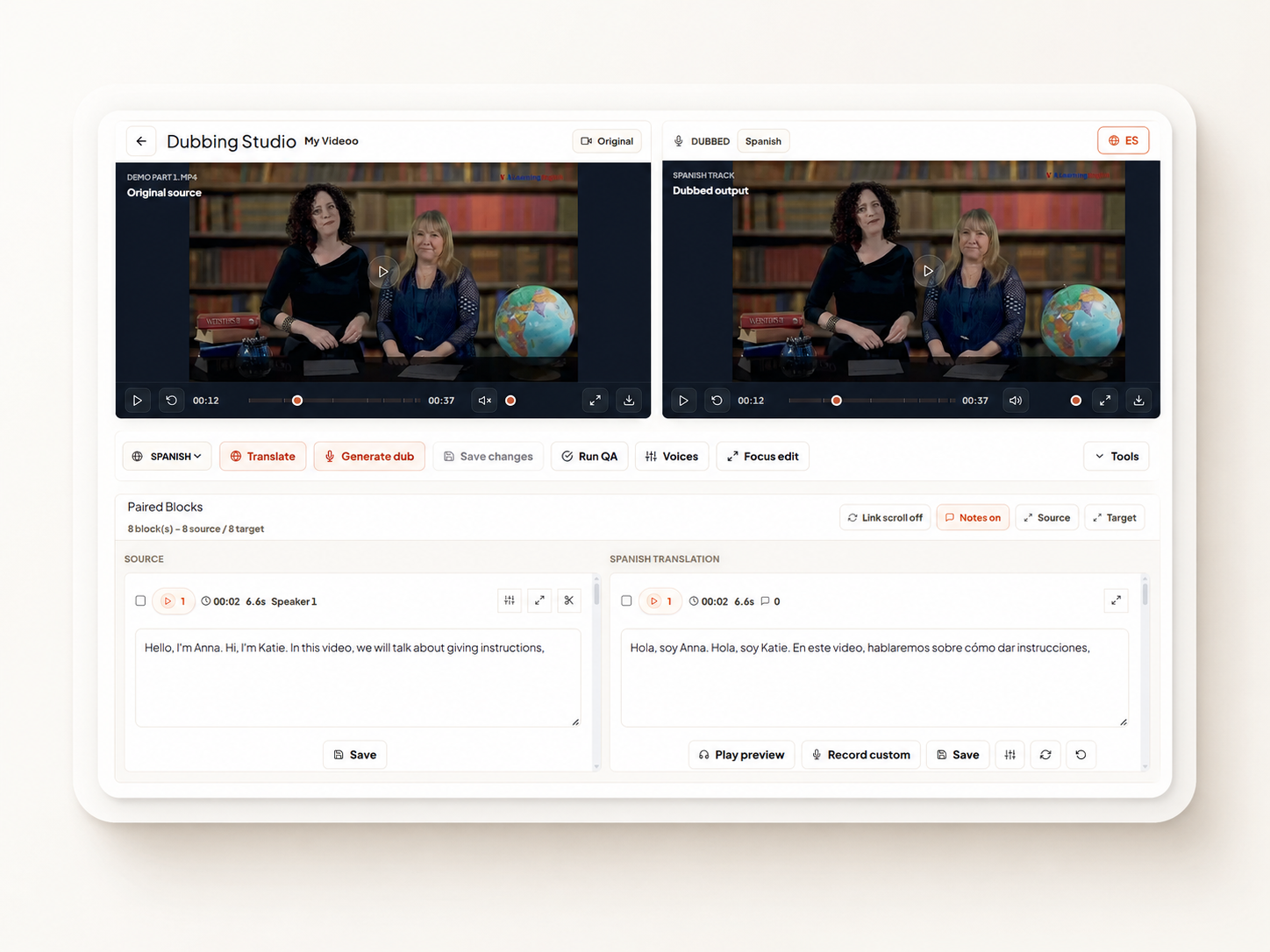
For RevoDub customers, the strongest workflow is often hybrid: dubbed MP4 for engagement, SRT or VTT captions for accessibility, audio files for reuse, and transcripts for search and documentation.
What are subtitles?
Subtitles are translated text displayed on screen while the original audio plays.
Subtitles are useful when:
- You need fast turnaround
- The audience is comfortable reading
- The video will be watched silently
- Budget is limited
- The source voice should remain audible
- The content is short or highly visual
Subtitles are common for webinars, social clips, support videos, interviews, and content where the original speaker voice has value.
SEO and accessibility value of subtitles
Subtitle files can also support discoverability and accessibility. SRT and WebVTT captions help video platforms understand spoken content, make videos easier to search, and improve the experience for viewers who cannot use audio.
What are captions?
Captions are text tracks that include spoken dialogue and may also describe important non-speech sounds.
Captions can include:
- Speaker labels
- Dialogue
- Music cues
- Sound effects
- Environmental audio
In many contexts, captions are used for accessibility and compliance. Subtitles usually focus on translation, while captions focus on making audio information available as text.
For enterprise video, captions should not be an afterthought. Training, onboarding, compliance, and customer education content often needs caption support even when the video is dubbed.
What is voiceover?
Voiceover localization replaces or overlays the spoken content with a new narration track in another language. It does not always try to match the original speaker's timing, tone, or identity.
Voiceover works well for:
- Explainer videos
- Product walkthroughs
- Documentary narration
- Training modules with one narrator
- Content where lip sync is not important
- Videos where the speaker is not visible
Voiceover is usually simpler than full dubbing because it does not always require detailed speaker matching or tight timing alignment.
What is AI dubbing?
AI dubbing creates localized speech tracks for a video using artificial intelligence. A modern AI dubbing workflow can include transcription, translation, voice generation, timing alignment, review, subtitles, and export.
AI dubbing works well for:
- Corporate training
- eLearning modules
- Compliance videos
- Employee onboarding
- Product education
- Sales enablement
- Customer onboarding
- Creator content
- Agency localization projects
The goal is to help viewers consume the video in their own language without depending only on text.
AI dubbing vs subtitles: which is better?
Neither is always better. They solve different problems.
Use subtitles when speed, cost, silent viewing, and accessibility are the priority.
Use AI dubbing when the viewer needs to listen, understand, and stay engaged without reading. This is especially important for training, instructional content, and videos where viewers need to watch the screen while following the explanation.
For example, a software training video may require the learner to watch clicks, menus, and screen movement. If the learner also has to read subtitles the entire time, cognitive load increases. Dubbing can make the lesson easier to follow.
AI dubbing vs voiceover: what is the difference?
Voiceover usually prioritizes clear narration. AI dubbing usually tries to preserve more of the original video structure, speaker segmentation, and timing.
| Question | Voiceover | AI dubbing |
|---|---|---|
| Does it preserve speaker structure? | Sometimes | Usually yes |
| Does it match segment timing? | Not always | More often |
| Is it good for visible speakers? | Depends | Better fit |
| Is it good for narration-only content? | Yes | Yes |
| Does it support multi-speaker training? | Limited | Stronger |
If a video has one narrator, voiceover may be enough. If a video has instructors, presenters, interviews, or multiple speakers, AI dubbing is usually a better workflow.
When should a team choose a hybrid workflow?
A hybrid workflow means the team exports more than one localized asset type. For example:
- Dubbed MP4
- SRT subtitles
- WebVTT captions
- Audio-only file
- Transcript
- Approval history
This is the best option for enterprise teams because different channels need different assets.
An LMS may need MP4 and captions. A support portal may need captions and transcripts. A sales enablement library may need video and audio. A compliance team may need approval records.
RevoDub is designed for this kind of delivery package.
Decision framework
Use this framework before choosing a workflow.
Choose subtitles when:
- The content is short
- Speed matters more than immersion
- Viewers often watch silently
- The original voice should stay
- The video has limited on-screen instruction
Choose captions when:
- Accessibility is required
- Compliance matters
- Viewers need non-speech audio context
- The content will be embedded in a web player
Choose voiceover when:
- The video is mostly narration
- Speaker identity is not central
- Lip timing does not matter
- You need a clean spoken explanation
Choose AI dubbing when:
- Learner comprehension matters
- The video includes visible speakers
- The audience expects native-language audio
- The content is part of a reusable library
- You need repeatable localization into many languages
Choose a RevoDub-style hybrid package when:
- The content is business critical
- Multiple reviewers are involved
- You need captions and transcripts
- The video will be reused across teams or regions
- You need approval and delivery governance
How RevoDub supports all three workflows
RevoDub is built for video localization teams that need more than a single output.
With RevoDub, teams can manage:
- AI dubbing workflows
- Context-aware translation
- Voice and speaker consistency
- Segment-level review
- Client or stakeholder approval
- SRT and VTT subtitle export
- Transcript export
- MP4 and audio delivery
- Agency and client workspaces
This matters because localization does not end when a file is generated. The real work includes review, revision, approval, packaging, and reuse.
Common mistakes when choosing a localization workflow
Only optimizing for cost
The cheapest workflow can become expensive if learners do not understand the video or if reviewers need multiple revision rounds.
Forgetting accessibility
Dubbing does not replace captions. Captions still matter for accessibility, silent viewing, search, and documentation.
Using subtitles for screen-heavy training
If viewers need to watch the screen closely, subtitles can compete with the visual instruction.
Skipping review
Whether you choose subtitles, voiceover, or dubbing, localization still needs human review for terminology, meaning, tone, and compliance.
Frequently asked questions
Is AI dubbing better than subtitles?
AI dubbing is better when viewers need native-language audio and higher engagement. Subtitles are better when speed, accessibility, or silent viewing is the priority. Many teams use both.
Is voiceover the same as dubbing?
No. Voiceover is usually a narrated translation track. Dubbing is more closely tied to the original video timing, speaker structure, and dialogue flow.
Should training videos be dubbed or subtitled?
Training videos often benefit from dubbing because learners can listen while watching instructions. Subtitles should still be included for accessibility and search.
Does RevoDub export subtitles?
Yes. RevoDub supports subtitle and caption workflows such as SRT and WebVTT alongside dubbed video, audio, and transcript outputs.
What is the best workflow for enterprise video localization?
The best workflow is usually hybrid: AI dubbing for engagement, captions for accessibility, transcripts for documentation, and a governed review process for quality control.
Final takeaway
Subtitles, captions, voiceover, and AI dubbing are not enemies. They are different tools for different localization jobs.
The smartest teams choose the workflow based on the viewer experience and the delivery requirements. For training, onboarding, product education, and customer enablement, a governed hybrid workflow is often the strongest option.
RevoDub gives teams one workspace to manage AI dubbing, subtitles, review, approval, and export-ready localization packages across 80+ languages.
Ready to localize your video library?
Dub training, onboarding, product, and customer education content into 80+ languages with governed review.
Get Started Free